
VRChat’s moderation is evolving. Since its establishment, VRChat’s moderation has operated on a very strict lever of “suspended or not suspended” when it comes to violations of the VRChat Community Guidelines and Terms of Service. Rather than addressing it on a per feature level, we were removing a user from the VRChat experience entirely. For a platform like VRChat, this isn’t necessarily an outcome that is very conducive to better behavior or helping users understand why they were being punished. It was also difficult for users to keep track of their previous moderation history such as when they received VRChat issued warnings or suspensions.
We have heard lots of user feedback over the years about how VRChat’s moderation system operated, and we agree that it needs to change. Let’s talk about that change.
⚠️ New Punishment System
If a user engages in violative behavior and receives moderation punishment for it, it will restrict their ability to use the feature that was abused rather than VRChat entirely. For example if a user uploads violative Avatars, when they are moderated for that violative content they will be restricted from uploading Avatars for the duration of that punishment. The same would apply for other features that include but are not limited to: Worlds, custom images, or user profile content such as bios or links
Initially, these restrictions are temporary and will fall off with good behavior. However, if a user continues to engage in repeated violative behaviors by abusing a particular feature, these restrictions can become permanent. If a user account accumulates too many violations, their account will be permanently suspended.
Zero-Tolerance policy violations will still result in permanent suspensions from the VRChat platform without prior warning.
🛡️ The Safety Center
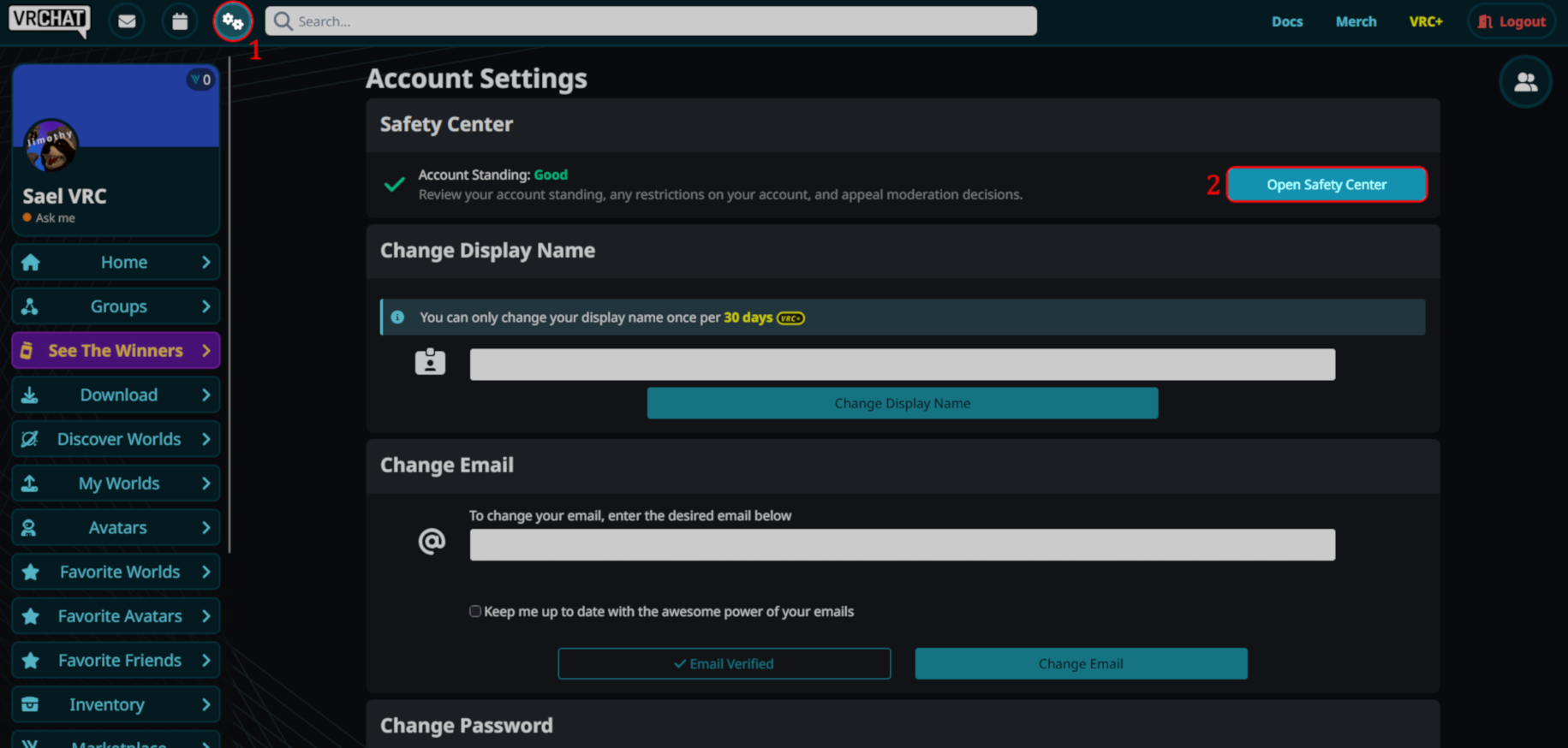
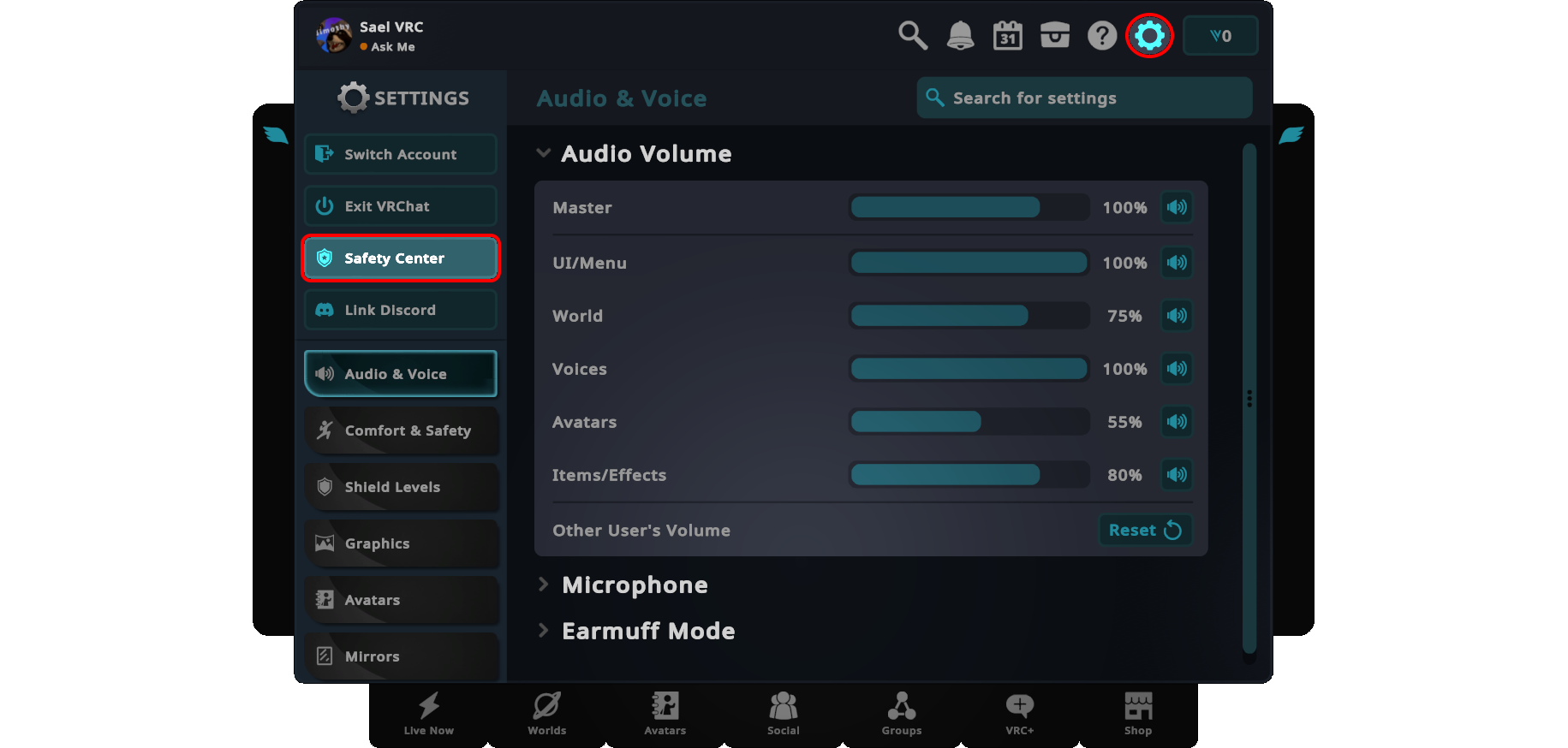
At the heart of VRChat’s new moderation system is the Safety Center. You can view the Safety Center by visiting the VRChat website or by logging into the VRChat application and navigating to it, even if your account is suspended.
-
Navigating to the Safety Center on the VRChat website
-
Navigating to the Safety Center in the VRChat Application
Account Standing
At the top of the Safety Center, you will see your Account Standing. This is an indicator of the health of your account, and will give you a brief overview of any active restrictions that are currently placed on your account.
Account Standing is reflected in 5 stages:
-
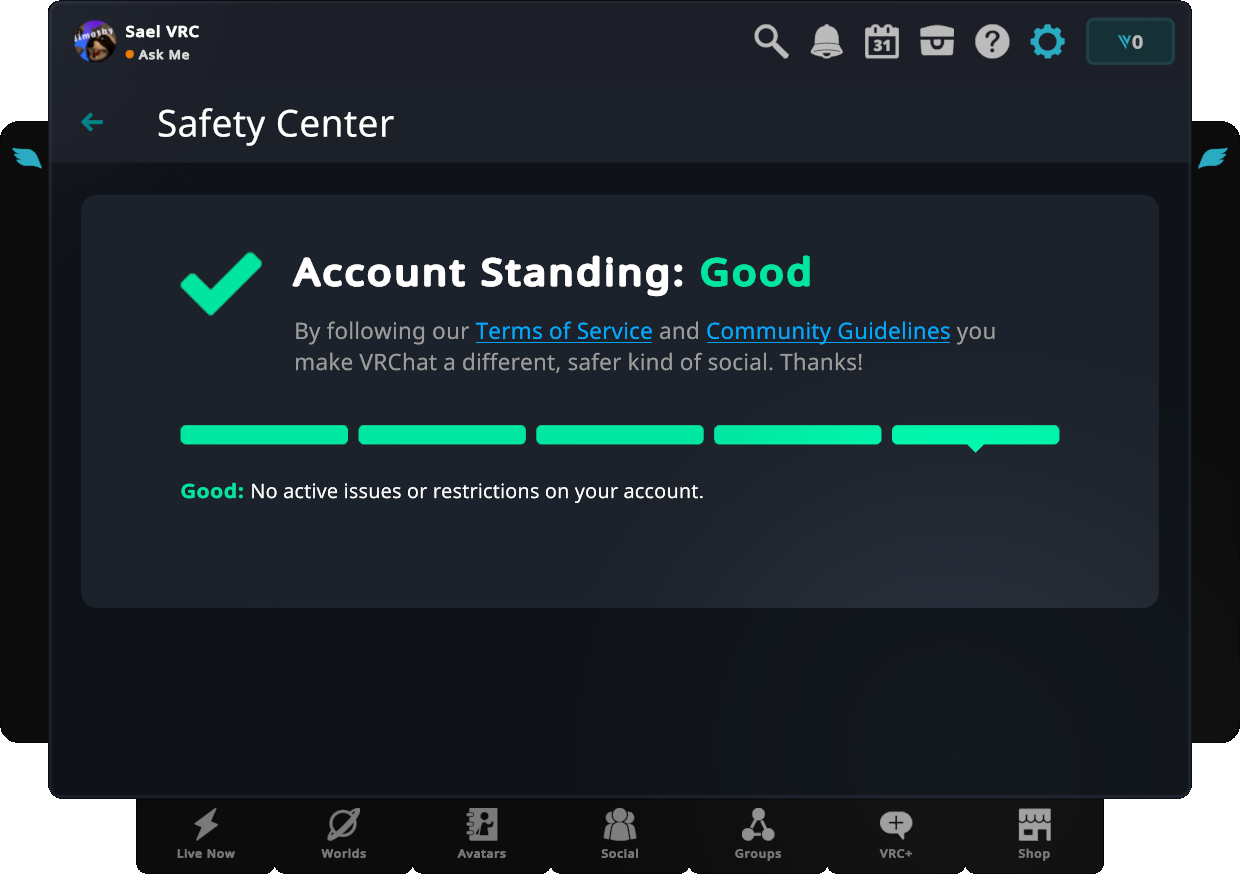
Account Standing: Good
Your account standing is Good if you have no active punishments or warnings and have not engaged in violative behavior for a while.
-
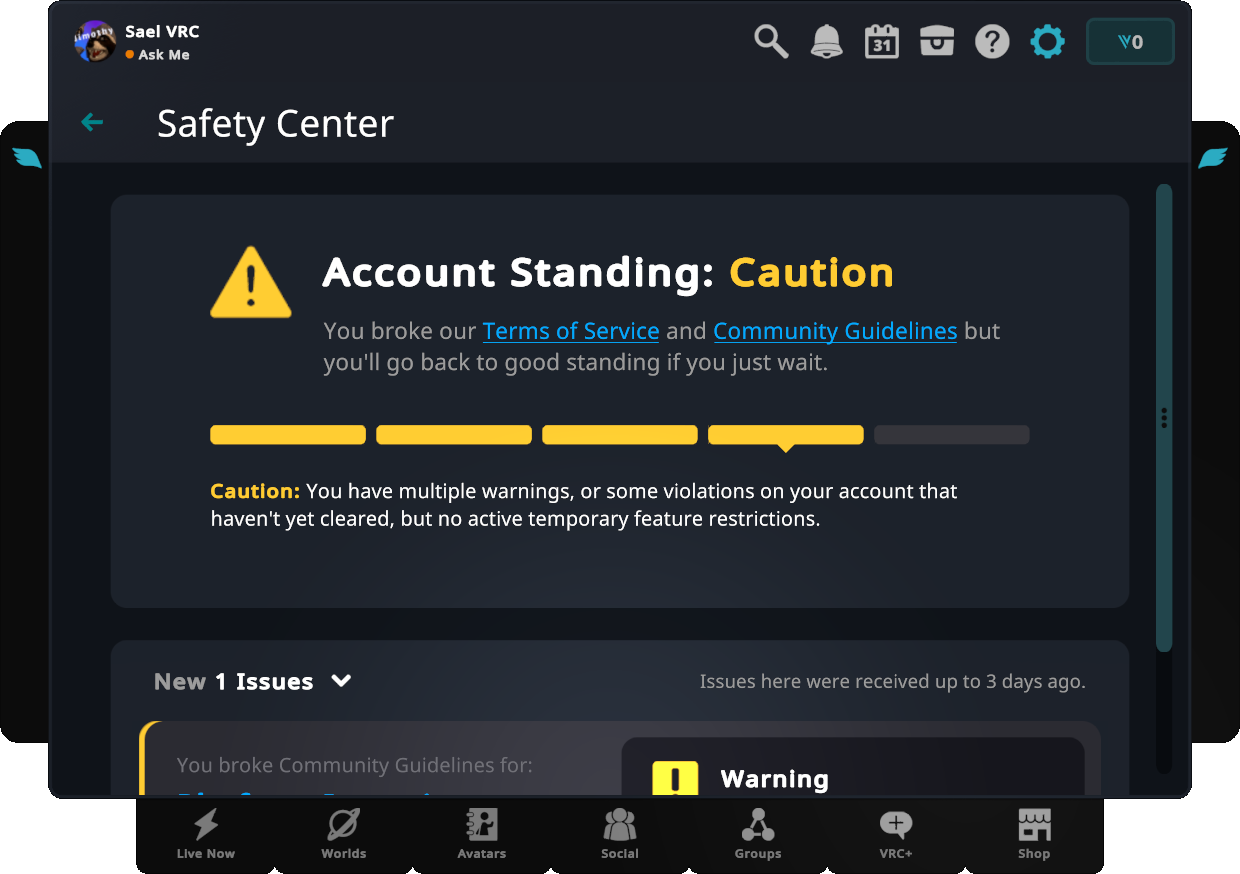
Account Standing: Caution
Your account standing is Caution if you have no active punishments, but have recently had warnings or punishments that are no longer active.
-
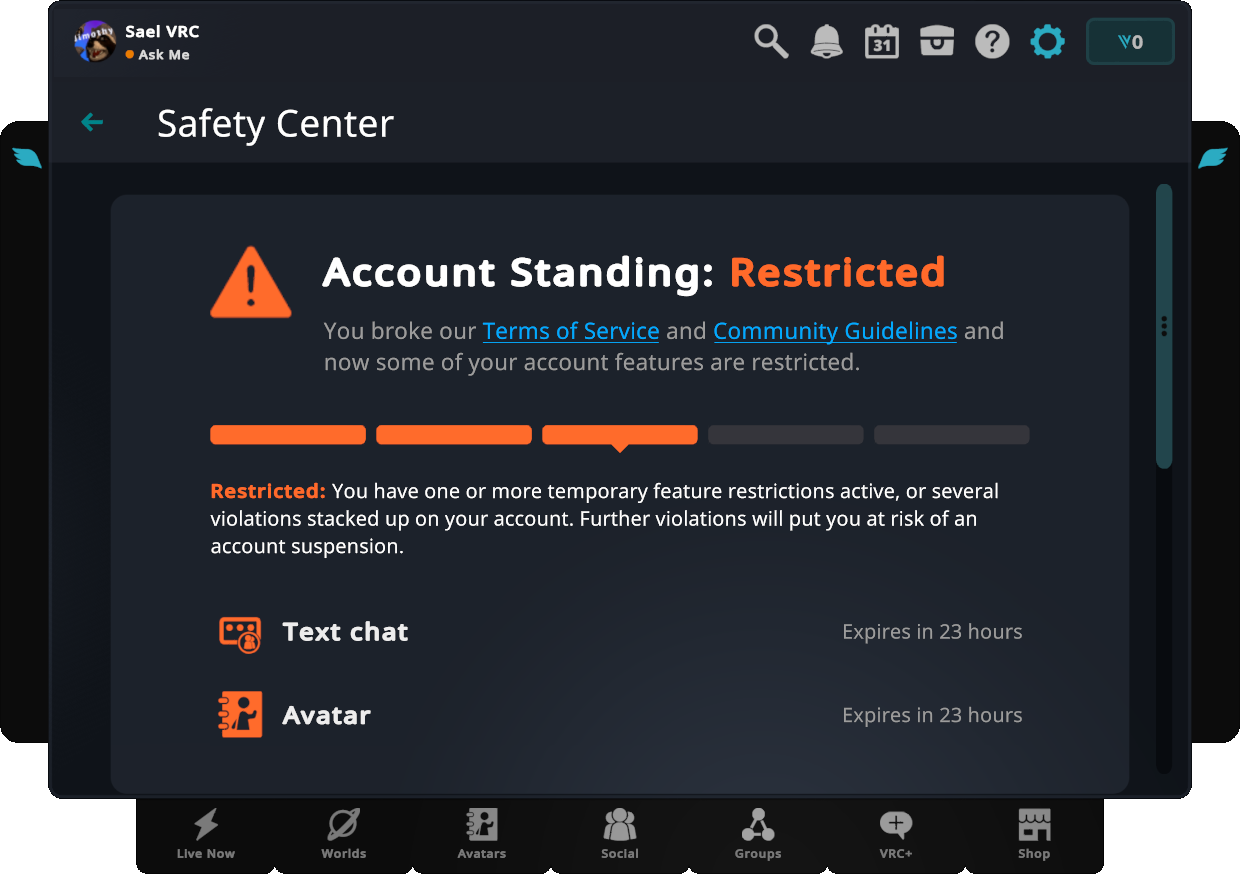
Account Standing: Restricted
Your account standing is Restricted if you have one or more active punishments, but no permanent feature restrictions.
-
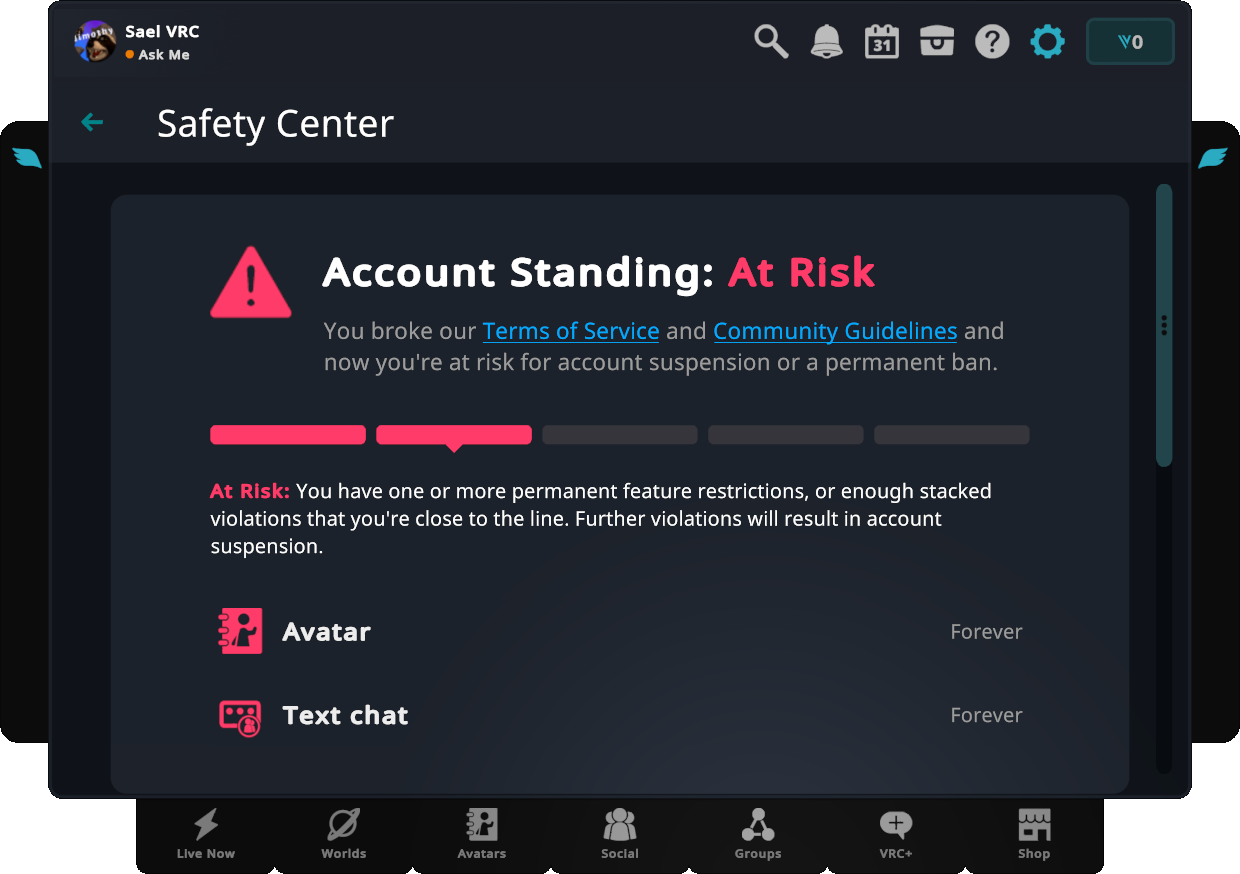
Account Standing: At Risk
Your account standing is At Risk if you have multiple active punishments, or at least one permanent feature restriction.
-
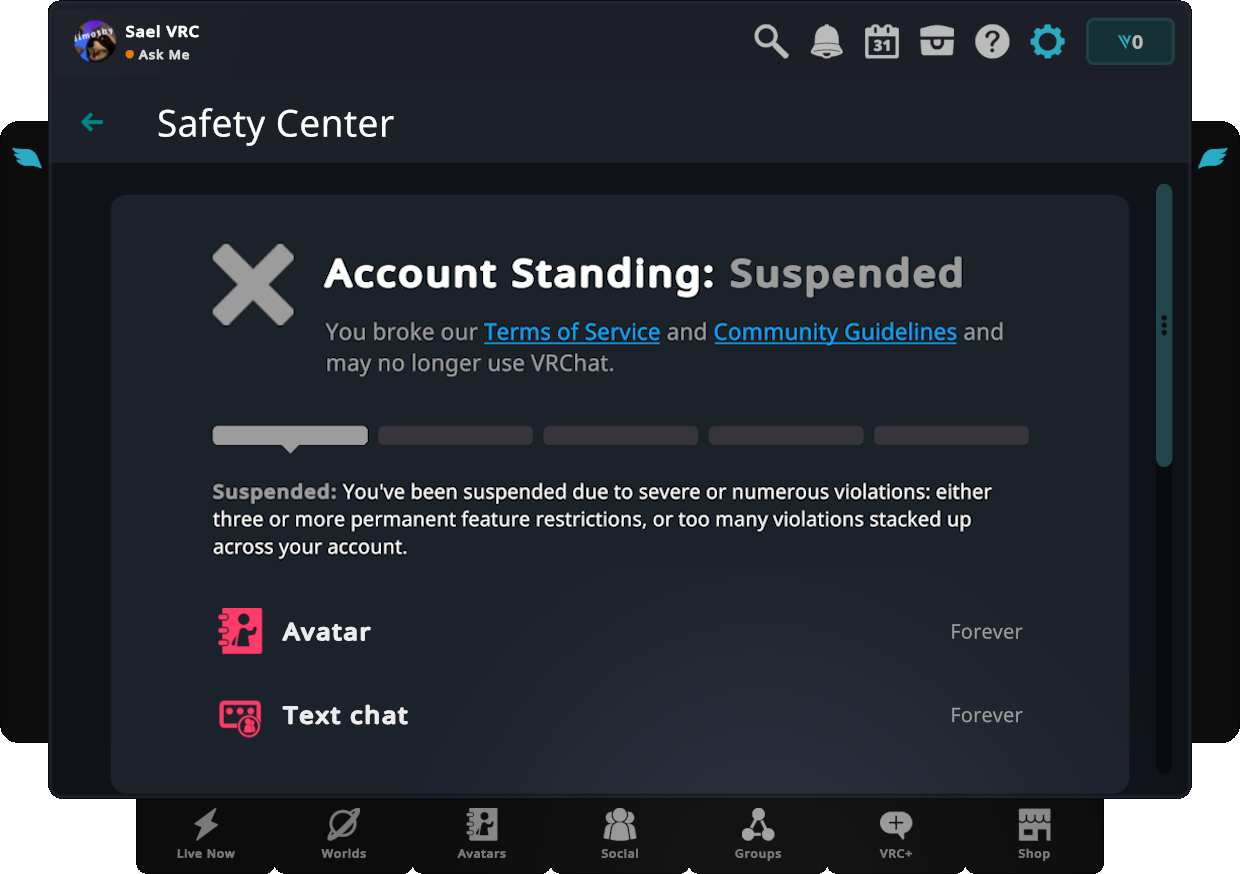
Account Standing: Suspended
Your account standing is Suspended if you accumulated enough active punishments or permanent feature restrictions across your account.
Violation Hub
If your VRChat account receives warnings or punishments, they will be logged here for your review. With each punishment you will see what section of the Community Guidelines was violated, what specific feature was abused, and in certain cases specifically what piece of content was impacted. You can also view any active feature restrictions, and when those restrictions will end.
-
Violation Hub
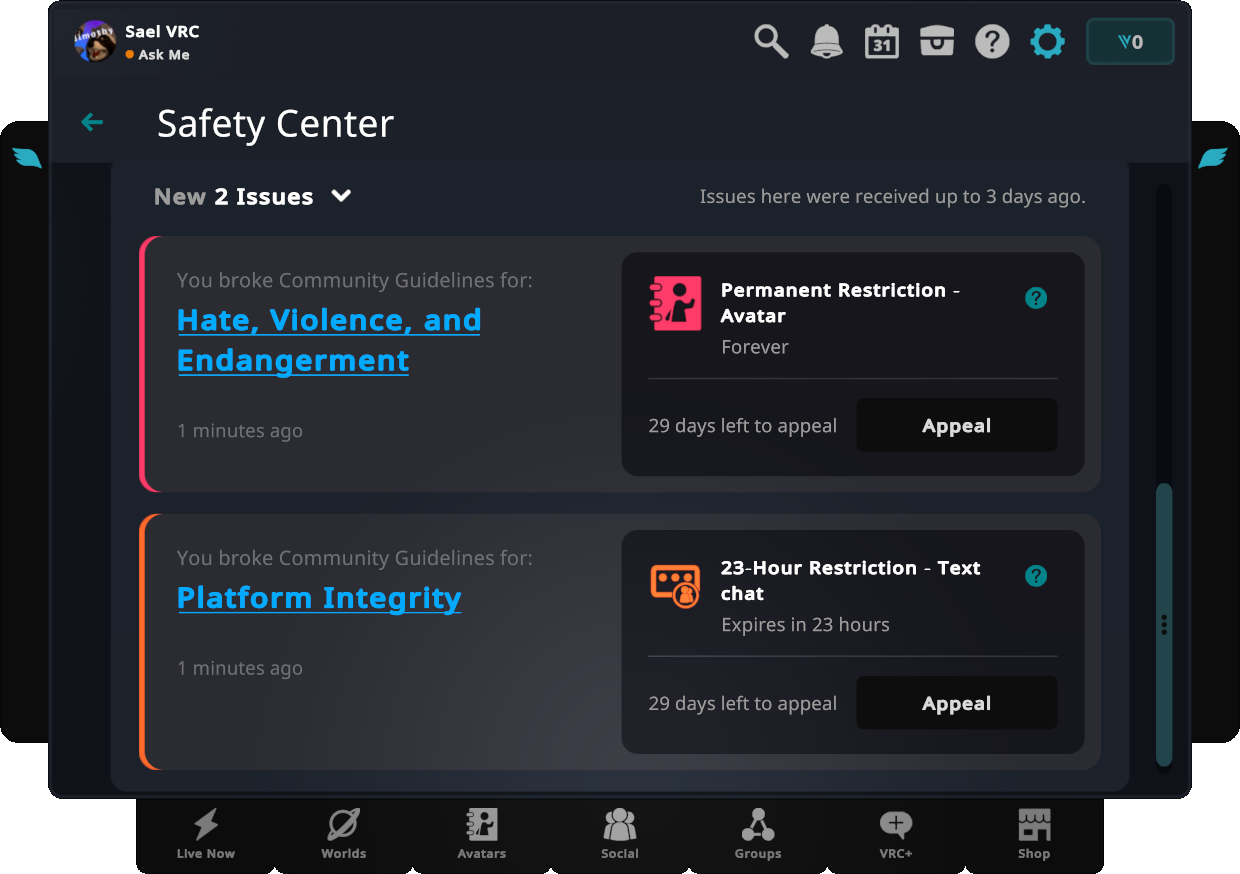
Punishments may move to different categories after they have been viewed, appealed, or they expire.
-
Appeal
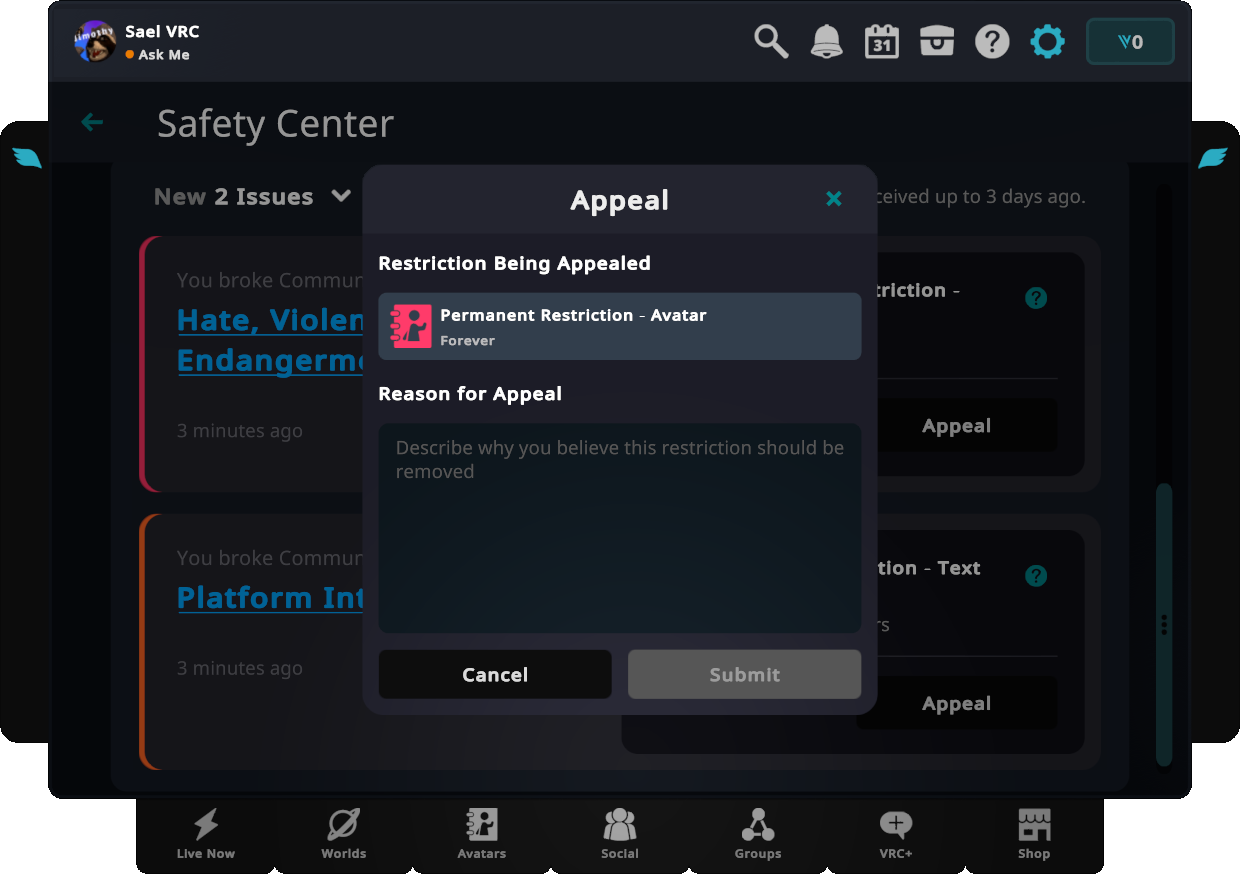
The appeals page may include details specific to your content such as name or ID for applicable content.
Using the Safety Center, you can appeal any punishment that has been applied to your account within the past 30 days. If that appeal is accepted, any feature suspension related to that punishment will be lifted, and content removed by that punishment may be restored if applicable. Once you have submitted an appeal on any restriction, it will be moved to "pending" until it is either approved or denied.
Warnings cannot be appealed, as they do not carry an active punishment.
Appealed punishments will have their status tracked and visible once an appeal has been submitted.
This means that you do not have to create an account on VRChat’s helpdesk in order to appeal your punishments. In a future update, the VRChat helpdesk will no longer be taking in appeals.
We encourage you to read VRChat’s Terms of Service and Community Guidelines.
Comments
0 comments
Article is closed for comments.